Video Rental Software


Home
Touch Screen 1
Touch Screen 2
Touch Screen 3
Touch Screen 4
Touch Screen 5

Touch Screen Kiosk

Your customers will have less frustration with a kiosk instead of having to wait in line to see if you have a movie in stock.




Click on This Image to Continue


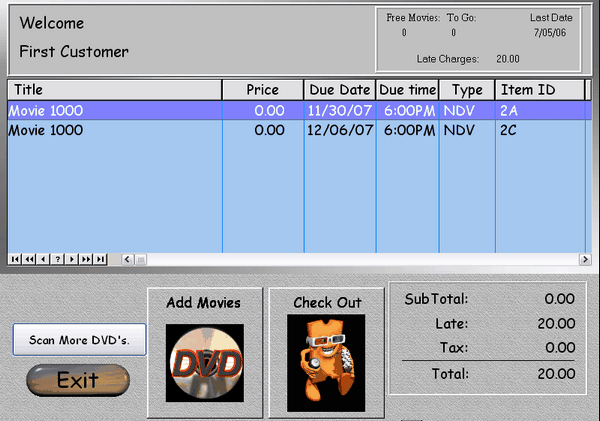
Once in the rental screen, the customer can easily add more items, or check out. There are settings that you can adjust for this screen. For instance, you might have a scanner available for the customer so they can just scan the movies in hand without looking up the movies by title. Or, in case your movies for the kiosk are not on the floor, they can press add movies (the Scan more DVD's wouldn't be displayed), and go back to the familiar browse screens.


If the customer has late charges, they will show up here. Movies they already have checked out (that haven't been returned) will show up here as well.


You can set different options for checkout. For grocery stores you can print out a receipt and the customer can get their movie paid for at the counter, then the transactions can all be completed at the end of day by scanning all the reciepts.


For most stores, the transaction is partially completed, then the customer will go to the counter to pay for and collect the movies. The clerk merely types in the customer ID number (or scans it if the barcode receipt was printed from the kiosk printer), and processes the transaction.


Call 1-800-457-7818


Comments about this website: webmaster@vmtsoft.com

Copyright © 1989-2008 VMT Software