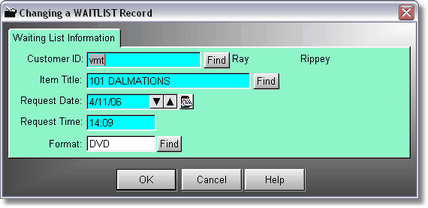
Because you access this from the First POS Screen, and a customer is not chosen, you need to find the customer you are going to put on the waiting list for a movie.
Then Click on Find to find the Title. A Rental Lookup table will be displayed.
The Date and Time come in automatically, but you may click on the up or down arrows to adjust the date of the request.
Click on Find only if they only want a certain format, like DVD or VHS.