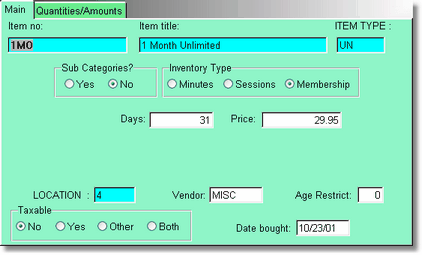
If you sell your customer a membership package, they can tan every single day until the membership expires. There will be a tan expiration date entered into the customer record of Today plus the number of days of the membership.
If you sell a membership to a customer that already has a membership, the Tan Membership Expiration date will be extended by the number of days on the new membership, as it should be.
You will need to select an item type that has a Pack Type of Membership. Do not change the Inventory Type on this screen. If it doesn't come in correctly, you did not choose or create the right kind of Item Type.
If a customer has a membership, and sessions, and minutes, the program will use up the membership first, then the sessions, then the minutes. Even though this is possible, it is unlikely that you would sell a customer more than one kind of package at a time.