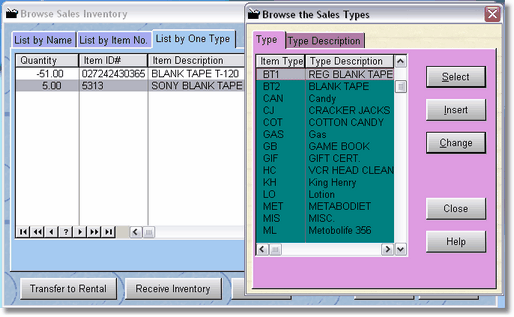
When searching items by item type, simply click on the Select Item Type button and the Sales Type table will be displayed. Find the item type you want (type the first few characters as there is a locator for the Item Type Table), then press select. All items will show in alphabetical order for just that item type. You can then type the first few characters of the item title to find the item you are looking for.
NOTE: If you get a beeping noise when trying to type, it is because the list box is not selected. Click in the list box anywhere, then try typing.