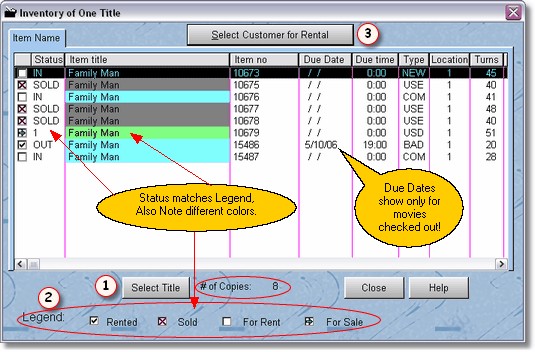
When you first select this screen, it will be blank. Just press enter, or click on  Select Title, a movie lookup table will be displayed. Then using a locator, find the movie you want, and press enter to select the item.
In the above screen you can see that we have 8 copies of Family Man. By looking at the  Legend, you can see that 3 copies are sold, 3 copies are in and available to be rented, 1 copy is rented out and due on 5/10/06 at 7:00pm, and 1 copy is for sale.
If you highlight the copy that is rented out, you can click on  Select Customer Rental, and that customer will be brought into the POS Screen 2.