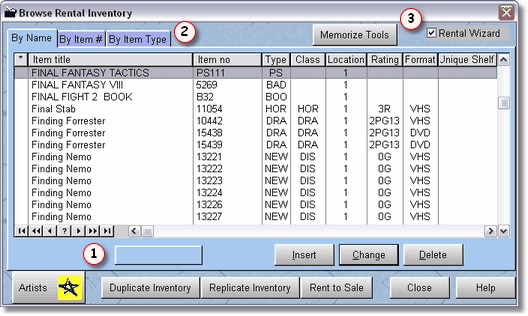
This is the Rental Browse screen, and if you have a video store, it is where you will spend a lot of time entering inventory. You can ONLY enter rental inventory on this screen, however, you can transfer rental inventory to sales inventory.
The rental screen is in order of item title. To find an item simply start typing as there is a locator available. When using the locator, what you have typed will appear below the browse listing  . If you want to start over, just press the arrow up key on your keyboard.
There are many functions that are available from this screen that we will discuss later in this chapter.
You may also lookup items by ID number or Item Type. Just click on the Tabs  above.