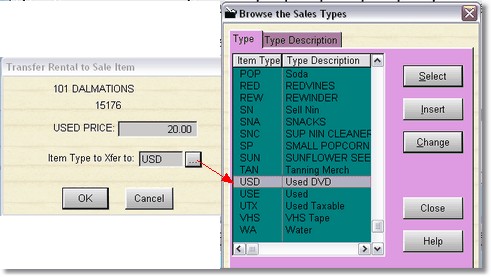
To transfer a rental item to a sale item, highlight the item you wish to transfer, and click on the Rent to Sale button. If you have entered the used price in inventory ahead of time, the used price will display. You will then need to click on the ellipse to select a sales item type for the inventory item.
Note: If you transfer directly from the POS Screen, and have already filled in the used price and item type, it will happen automatically, otherwise you will be prompted for any missing information (price and item type).