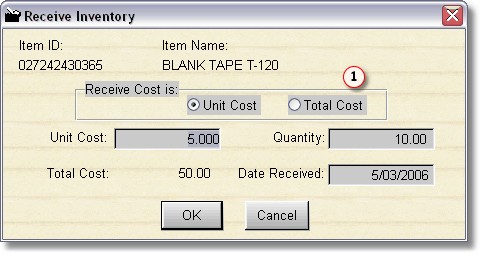
To receive sales inventory, simply highlight the item in the Browse Table and click the Receive Inventory Button.
You can select  whether to enter the unit cost or the total cost.
If entering the unit cost, when you type in the quantity, the Total Cost will be calculated. If you enter the Total Cost, the unit cost will be calculated after entering the Quantity.
Click OK to update the inventory record. All cost fields will be updated, and the quantity will be added to the current quantity in the inventory item.