When you make the first few matrix pricing items the matrix wizard will probably be ON. This makes setup of the matrix very easy, but does not allow you to you the full power
of the matrix system. To take advantage of the features described below just pick the matrix after it's been made, and change it to your requirements. The wizard only works when you are adding records.
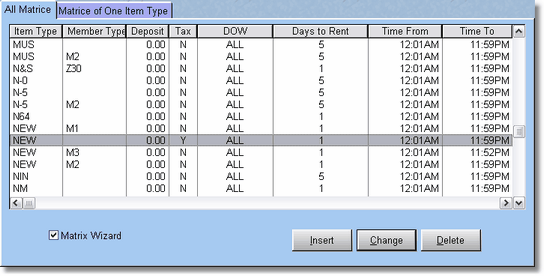
After selecting Price Matrix from the Inventory Menu, the Price Matrix Table will display. The Price Matrix Table displays all the specials previously entered in the file. To add a matrix, press or click Insert. If the Matrix Wizard is checked when you press insert, you will be able to enter the matrix record with the Matrix Wizard Screen.
You may change an existing Matrix by highlighting the Matrix record, then pressing ENTER, or clicking on Change, or double clicking on the matrix record in the browse. To delete a Matrix, select the Matrix you want to delete and press the delete key. Press ENTER or click on OK to confirm the deletion, or ESCape to abort the deletion.