In the Manual Sale form, you can adjust the quantity and the unit amount of each sale. There is security that will adjust whether you can adjust the price, the quantity, or either.
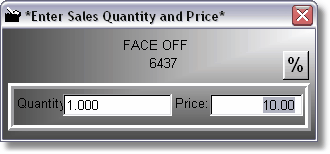
When the sale form is first displayed, the quantity will be highlighted, and the price will be $0.00. This is because the price cannot be determined until the quantity is entered. Press ENTER on the quantity and the price will display. Press Enter one more time to accept the price.
There is security in the security level definitions area under the pricing category that will adjust who can adjust the price, or even view the manual sale form. If you lower the security so the sale form is not displayed, then the program assumes a quantity of one.
Press the % button to adjust the sales discount percentage.