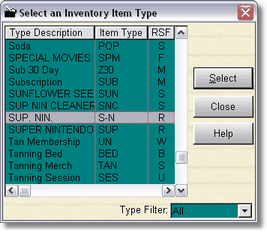
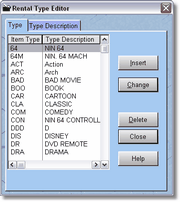
All inventory items must have an Item Type. You can create as many item types as you like (with the limitation of a 3 character abbreviation, so about 50,653 if my calculations are close). If they're not close... let's just say more than you'll ever need for any kind of store.
The above table may look a little different, but they all work the same.
Depending on the kind of inventory you are entering, the type table will probably be filtered to show you only those kinds of inventory types available for the kind of inventory you are entering. The above general type table shows all the different item types in the entire system. You can get there by going to the Inventory Maintenance, clicking on Inventory by Type, and clicking on the Select Type button.
For items like coupons, tanning packages, hourly rentals, and tanning beds, you will really only need one item type for each inventory type.
For Rentals, Sales, and Memberships, you will probably want to have multiple item types for each inventory type.
If you're lost, don't worry about it. The program will make you choose the right inventory type or Item Type when you're entering inventory.