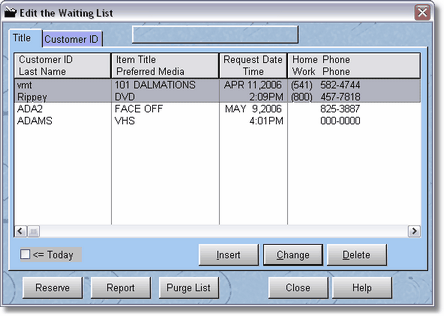
This screen is accessed from the Top of POS Screen 1.
This is one of two places you can put customers on the waiting list for a movie. However, this list shows all customers. You can purge the list by date (click it, you can cancel if you want to), you can also reserve a highlighted item. This would be where you would print your report in the morning for all customers that are waiting for movies.
You can also add a customer to the waiting list if they are already selected and you are in POS Screen2.
By clicking on Reserve, you can transfer the waiting list item (you will be able to select one particular ID number for that title), to the reservation list.