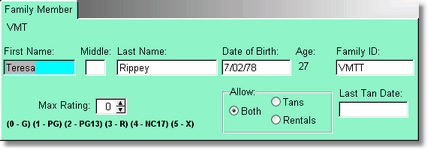
The Family member will be attached to the main account holder. All items will be rented to the main account holder, but the family members name will be in the customer history, so you can see who exactly rented or purchased the item.
The first name is the only required field, however it will only record the family member if the family ID is entered. The program will create a family ID for you, using the main ID number and the first initial of the first name.
It is a good idea to put in the date of birth, and what the maximum rating the family member can rent. See the Rental Inventory form for more information about rating restrictions.