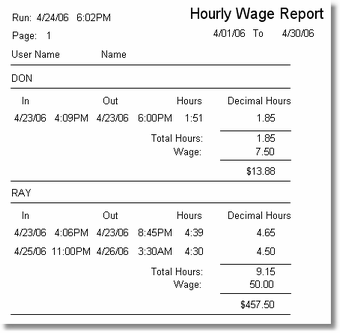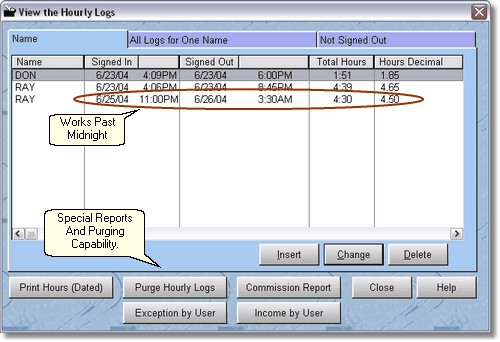
The other thing you can do with clerks names (user names), is allow them to sign in and out. This is not the same thing as logging in and out. Logging is for security purposes and allows them to use certain area's of the program, Signing in and out tracks the time in and out, like a time card, but much easier for you. Using the Employee hours feature lets you print reports at the end of the week, automatically totaling the amount of time they worked. You can then purge the weekly totals, or leave them there for history purposes. (Most stores would probably purge them for ease of use).
Although the program will track a clerks hours past midnight, it will not track them past 24 hours. We assume nobody will work over 24 hours in one shift. (If they do, well, I guess you'll have to have them sign out and back in again, and make sure they have lot's of coffee).
The normal report you will run is the ' Print Hours (Dated)' report. It is a wage report and prints the wage multiplied by the hours to give a total owed, but remember, it does not subtract taxes and deductions, etc.