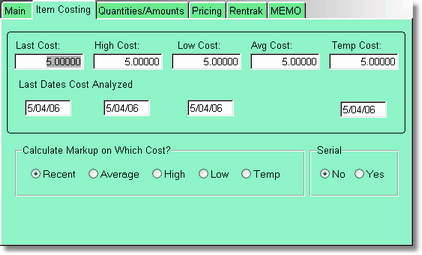
The costing screen keeps track of the costs of your inventory. When you receive an item using the receive button, the cost fields, and the dates of the costs, are filled in automatically.
You can also decide which cost to use to calculate your price, if you are using markup to figure your price, instead of just a set price in your inventory.
If you want the program to ask you for a serial number when you sell this item, mark YES in the Serial Field.