When you are in the POS Screen 2, ready to rent or sell items, you may edit some basics of the customer information. This is not all of the fields, just the main ones you may need to edit. If you need further access to the customers data, Escape from the POS Screen 2, Click F3, find the Customer and click on Change. This will take you to the full customer editor.
To get to these screens, use ALT_C (hold the ALT key down and press C), or just click on the ALT C Button at the top of POS Screen 2.

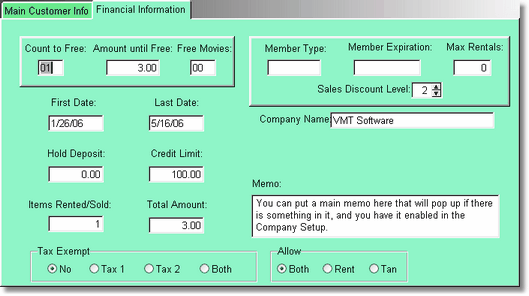
Of course the financial information is protected by Security. See the Security Levels under the Customer Area's to adjust the Security levels.