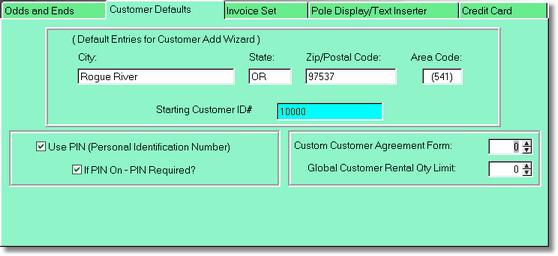
Default Entries
If you are using the Customer Wizard to add new customers, anything you fill out here will automatically be entered for you. You can of course overwrite the entries (if it is a different city for instance). The starting Customer ID will be incremented for you from this number.
PIN
PIN stands for Personal Identification Number. It is just like the PIN you use when you get money from the ATM machine. PIN is a great way to protect your customers. When you add or get a PIN from the POS Screen, the PIN shows asterisks to the clerks, and the customer should have a numeric keypad so they can enter their PIN privately.
Custom Customer Agreement Form
If you are using an agreement form from the Report Manager, put in the number of the form here. In the Report Manager, the report is located under Customer Agreements, and the name of the report must be agree1.rpt, or agree2.rpt, etc.
Global Customer Rental Quantity Limit
This will limit all customers so they can only rent this many movies at one time.