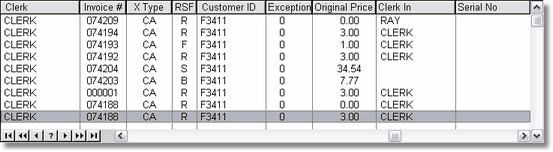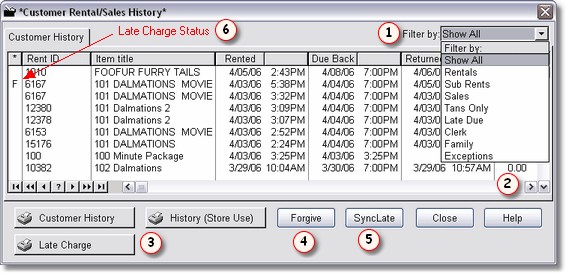
Customer history is a screen you will visit often. Every transaction ITEM is stored in history. Items will be stored in reverse chronological order by date due.
Here is a trick: if you take your mouse and hover the mouse above the title, and there was or is a late charge for that item, the tip box will tell you if and when a payment was made on the late charge. Also, if you hover above any of the dates or times, the tip box will tell you the day of the week the item was due and returned. This makes it easier to tell your customers the information about the late charge.
You can filter  the history table by clicking on the down arrow, and selecting the appropriate filter.
The Status on the left  is for the Late Charge Status. "F" is for a Fully paid late charge. "P" is for a Partially paid late charge. " * " is for a late charge that has not been paid.
"S" is for a sales item. There will not be a returned date on a sale item, and the date due back will be the same day as when the item is sold.
"VS" is for a voided sale. "VR" is for a voided rental.
If the status is a blank, they are a rental item.
There are  reports. The Customer history report does not show any monetary totals or amounts. This is a list you can hand to the customer.

Customer History Report for your Customer
The History (Store Use) report is for your use, and shows totals.
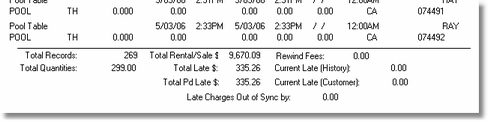
Customer History Report for Store Use Only
The Late charge report shows late charge information only. If there are no late charges, nothing will show up.
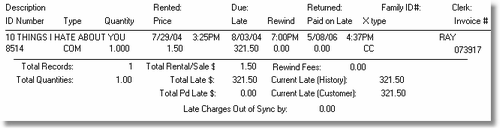
Customer Late Charge Report
You can Forgive  a customers late charges from here on a particular item. Just highlight the item you want to forgive, and click on the Forgive Button.
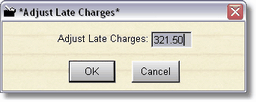
You can then adjust (down only) the amount of late charges for that one item. The customer late charge total will be automatically adjusted. Remember, this won't show as paid, it actually reduces or zeroes out the late charge, so there will be no record of it.
You may have to synchronize  your late charges in your history with the late charges in the customer. If you print the Late charge report, and the bottom of the report says your late charges are out of sync, you should Sync up the late charges. This will adjust the history to match your customer total late charges. If you want the customer total late charges to match your history, just go into the customer editor and change the late charge amount to match the totals in history.
By scrolling to the right  you will see much more information about the history item.
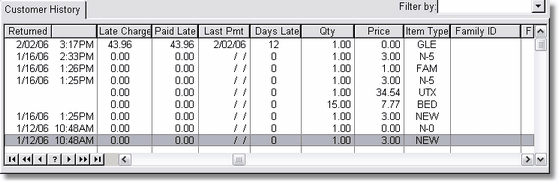
Note that sales items to not have a returned date or time. Last Pmt is for the last date there was a payment made to the late charge for this item.