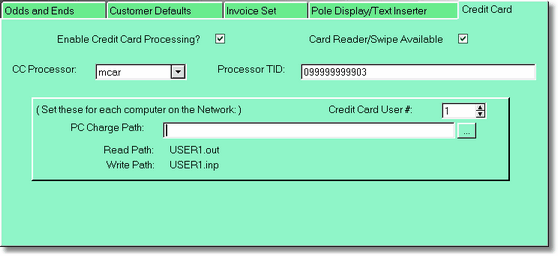
As of this writing, Video Shoppe is only programmed to actually process credit cards with PC Charge. Generally, you can get PC charge from your credit card service provider. Also, your credit card service provider will help you set up this screen.
The CC processor and processor ID is given to you from your credit card processor. The credit card user # is usually 1, unless you get a multi-user capability both from VMT Software, and from your credit card processor.
Click on the PC charge Ellipse button to find PC Charge.exe on your computer. This will tell the program where PC Charge is located so in can write data to user x.
Do NOT turn this off if you are taking credit cards by any other method. You can still swipe or type in credit cards during the transaction, they just won't automatically process. You will have to use your processing machine or software.