Setting up a camera requires a web cam, a usb port, and the concept of how it works together with Video Shoppe.
When a picture is taken, it is first stored on the hard disk in a temporary jpeg file, usually custpic.jpg. You setup where (the file) to store the jpeg file in the Camera Setup Area.
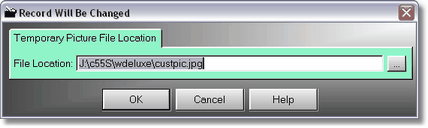
What you need to be concerned with is the file location. Normally it will be on your C drive in the vmtvid folder, where the program normally resides. So it will normally be c:\vmtvid\custpic.jpg. But it can be anywhere, however, the jpg must already exist. We supply one for you in the vmtvid folder, coincidentally called, custpic.jpg!
So, when you take a picture using the F12 button on POS Screen 2, the actual picture will be stored as custpic.jpg. This is how it is possible for you to flip back and forth between the Database (original) and File Last Taken (custpic.jpg), before you save the picture. Once the picture is saved to the database, you are done. You see, custpic.jpg gets overwritten every time you take a new picture, that is why we only have to name one jpeg file.